Ferno
Manage Ferno's inventory to keep his fuel burning as he traverses a tunnel system. Different items have different burn rates, so plan carefully! Help characters and gain rewards, loot chests, and help our little robot find his way to the light.
Quick Start:
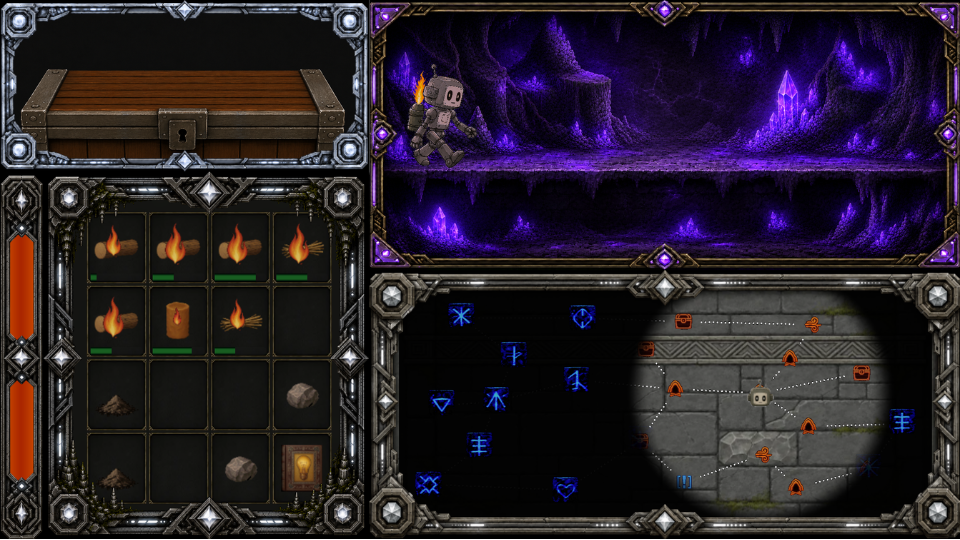
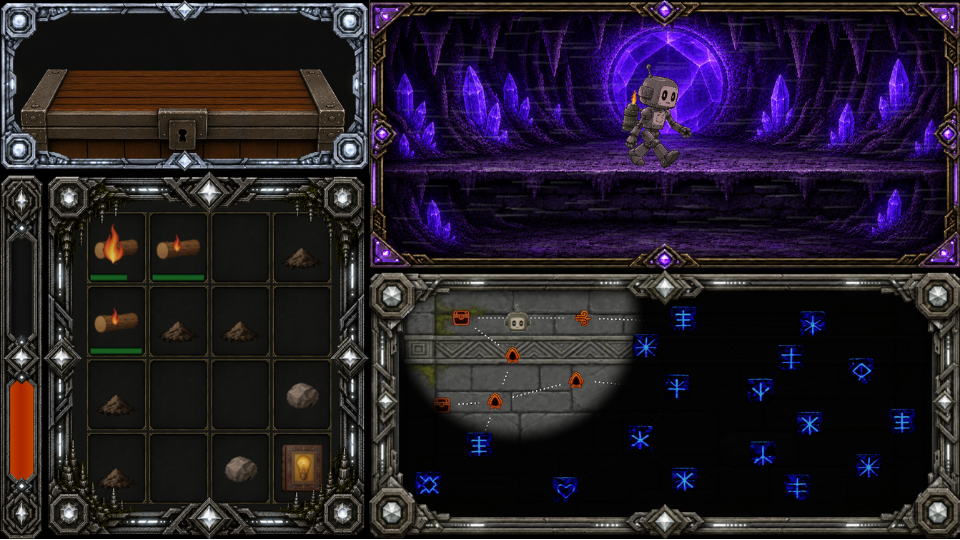
Click and drag the materials from the chest (pink arrows) to the inventory (green arrow), then click the match to ignite it.
Click a map node (purple arrow) to start walking. You can only click a node that is directly next to the cave room you are in.
Find the arrow node to advance to the next level.
You can press the space bar if you need to stop the objects burning and think.

FERNO — Detailed Controls & How to Play
I — Light the match (or click the match in the furnace). Lighting the match starts the clock automatically at slow planning speed.
Space bar — Planning mode / resume (after the match is lit)
While in planning mode, the clock freezes and the objects do not continue burning. Press space again to resume.
If you idle in a location without pausing, the fire burns more slowly but does not completely stop.
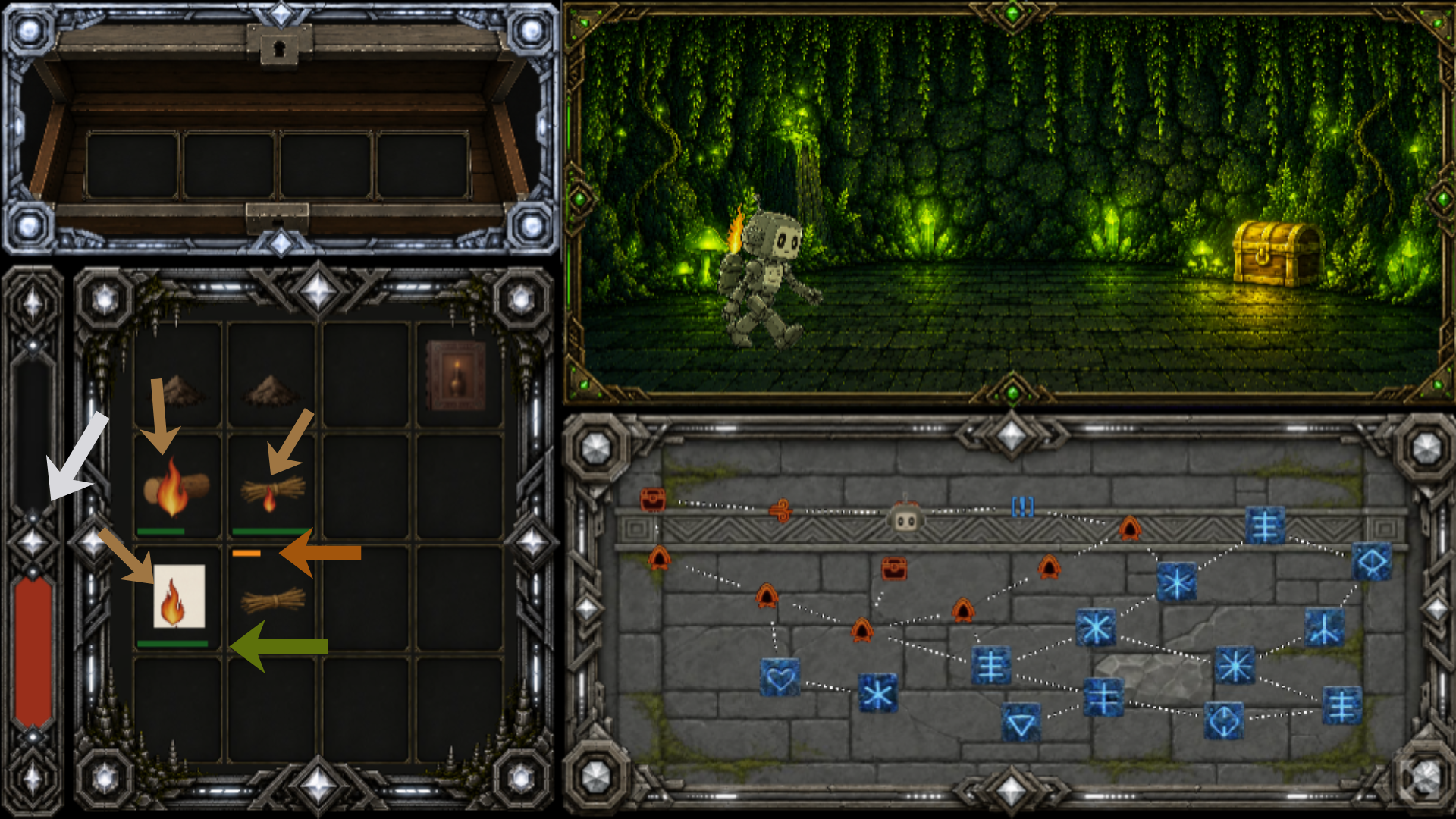
PROGRESS BARS (orange and green arrows)
(Orange arrow) — As the yellow bar fills, the object is getting closer to igniting. Objects catch on fire from adjacent burning objects (including diagonal).
NOTE: Large flames can actually hop across an empty space to burn objects.
(Green arrow) — The green bar shows how much fuel is remaining for this object.
FIRE SIZE (tan arrows) The different object types burn for varying amounts and with varying amounts of flame. The bigger the flame, the more fuel it gives Ferno and the more the flame bar is filled. Rocks will block fire from spreading through that cell.
FLAME BAR (white arrow) — Keeps track of how much fuel you are burning. If you fill to the white diamond, Ferno will walk at a normal speed. If you max out the bar, Ferno will walk very quickly. If the bar is ever empty, your fire has gone out and Ferno has no more fuel. Poor Ferno! He's trapped in the cave forever :(
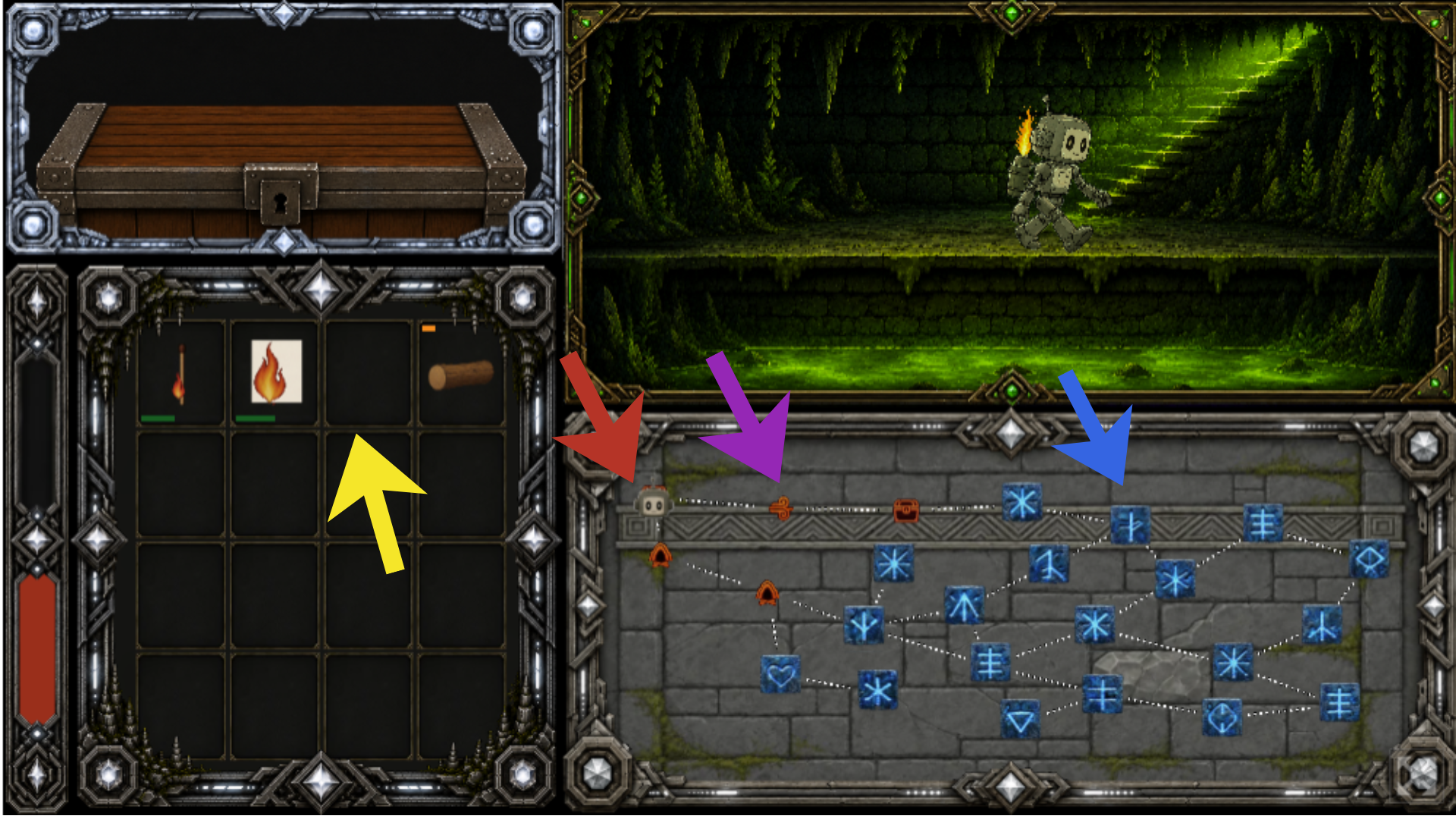
CAVE NODES (purple, blue, and red arrows)
Click a symbol to travel to that cave node. You can only travel to nodes directly connected to the one you are currently on.
(Purple arrow) - The orange symbols have been uncovered by the reach of Ferno's flames. You can now see what type of room you are approaching.
(Blue arrow) - This room is still in the dark. Travel closer to see what it is!
(Red arrow) - Lil Ferno head to show where you are.
Each of the six levels has an entrance on the left hand side and an exit on the right.
Note: (Yellow arrow) As mentioned, large flames can actually hop across an empty space to burn objects. Plan carefully!
INVENTORY
Rearrange fuel in the inventory — Use the left mouse button to click and drag the objects. Drag one object onto another to swap their positions. You cannot drag a burning object, but you can drag an object that is on its way to igniting. Dropping an object onto ash will clear the ash and place the object there.
Top left chest — Loot from chests appears here when you enter a chest room. This is also the location to place the quest items. You can place unwanted items in here, as well.
Quest — Place the correct book into the chest in the top left corner. If it's the correct book, the quest character will accept it, and the book will be replaced with loot! Completing quests also reveals the entire level map.
Hint: Pay attention to the character's line to know which book to give them.
SCENE VIEW (top right) — The cave where Ferno is currently. He walks along the path while travelling through a tunnel, and stands still when in a cave room, a quest room, or a level exit. When you arrive at a level exit, click the button in the middle of the screen to travel to the next level.
ROOM TYPES
Cave → a path to walk through
Windy Tunnel → a shortcut; often has a chest along the way
Chest → resources for burning and quest items
Quest → a character who needs a specific item
End → level exit, full of resources
Download
Leave a comment
Log in with itch.io to leave a comment.